


SolaceSolitaire
4.71.18K Reviews
App Specs
- Version
- 0.57
- Updated On
- License
- Free
- Downloads
- 500,000+
- Developer
- Hide Seek
- Categories
- Card
- Platform
- Android
Screenshots
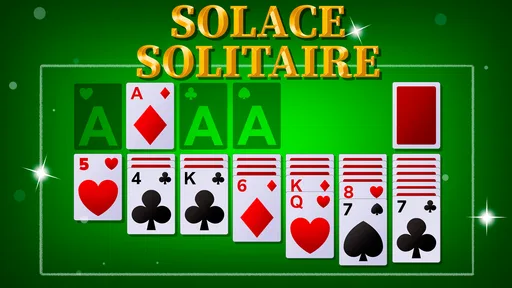
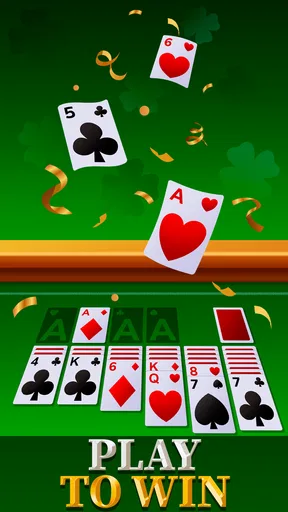
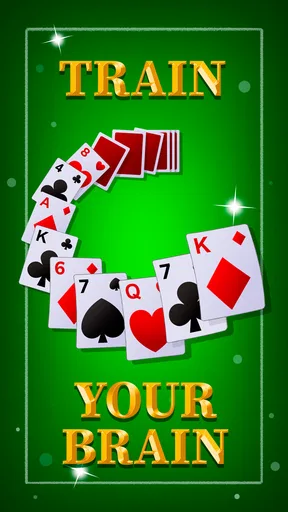
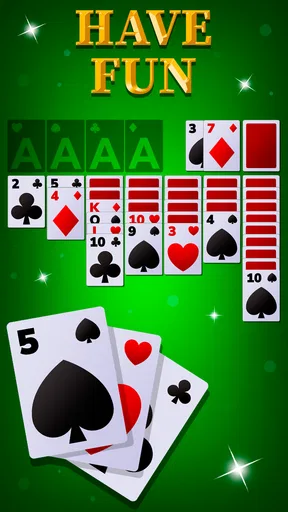
 Analysis by AppCompare
I pay close attention to how a card game works when I’m not sitting in ideal conditions: perhaps I’m holding a coffee, riding a bus, or trying to play with the screen dimmed in a quiet room. That’s where the practical side of SolaceSolitaire matters. Its appeal is the familiar pace of solitaire, but the experience also depends on whether its cards and controls remain comfortable for the person using them. I see it as a casual option to consider, not a game that will suit every preference or every situation.
Readability and getting around
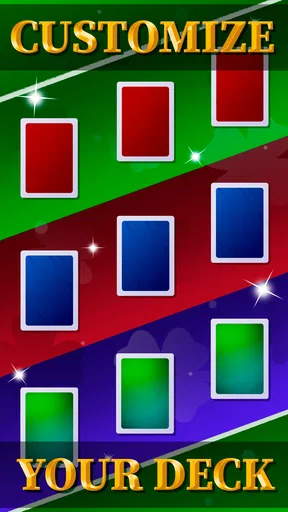
The first impression is of a clean, uncluttered layout rather than a screen crowded with competing panels. For a card game, that matters: the cards themselves need to be the focus, and extra visual noise can make it harder to follow a sequence. The app offers different card designs and backgrounds, so I’d try a few combinations before settling in. A background that looks attractive in one room may provide less contrast under bright daylight, while a simpler design may be easier to scan during a quick game.
That choice is useful, but customization is not the same as a full accessibility toolkit. I would not assume that every design will work equally well for people with low vision or color-vision differences. If you rely on large text, strong contrast, or a particular card-symbol style, take time to check the actual board on your own device before making this your regular game. In solitaire, a tiny difference in how quickly you can distinguish suits can turn a relaxing puzzle into a frustrating one.
Navigation feels straightforward in the sense that the game is built around a familiar card-table routine: look over the layout, decide on a move, and continue at your own pace. That makes it easier to understand than a card game that asks you to learn several modes or layers of rules at once. Still, anyone who finds small touch targets difficult should pay attention to how accurately cards can be selected on their screen. What feels precise on one phone may feel cramped on another.
Touch, sound, and comfort
Card movement is described through drag-and-drop play, which feels natural when you have steady hands and enough room to make a gesture. It may be less comfortable for someone with tremors, limited reach, or difficulty holding a phone securely. A practical approach is to rest the device on a table or use both hands rather than trying to make every move one-handed. That small change can make a short session feel less demanding, especially if you are playing while waiting somewhere.
The shuffle sound adds a bit of atmosphere, but sound is personal: some players enjoy it, while others need to keep their phone quiet. I’d check the game in the setting where you plan to use it and adjust the device’s sound as needed. I would not treat an audio cue as essential guidance unless I had tested that it was available and useful for the specific action I needed. The visual board should remain the main way to follow a card game like this.
For sensory comfort, the ability to choose a background can be helpful if a bright or busy surface distracts you. I’d favor a calm design for longer sessions and reserve more vivid choices for moments when the screen is easy to see. This is a modest form of personalization, not a guarantee that the game can be tuned for every sensitivity. If animation or repeated sound tends to wear you out, try a brief session first and decide whether the overall feel is comfortable.
Worth Reading Before You Choose

EA SPORTS FC Mobile 26 Is a Bigger Football Game, but It Takes Time

Flipboard Shows What News Apps Must Do Beyond the Feed

Switching to Android Auto Means Rethinking Your Driving Routine

Google Calendar Makes a Crowded Week Easier to Manage

Ludo King Makes the Most of the Minutes Between Plans

Baby Panda World Brings Quick Play to Modern Phones, but Its Game Library Feels Busy
Where it fits into a day
Solitaire works best for me when I want a self-contained activity that can be paused mentally without needing a group or a long commitment. A realistic use is a few moves while waiting for an appointment: I can focus on the layout, put the phone away when my name is called, and return to a different task. On a commute, it can also fill a quiet stretch, though I would avoid playing while walking or anywhere that attention needs to stay on surroundings.
Because the game is familiar, it can suit someone who wants a gentle card puzzle rather than a tutorial-heavy strategy game. It is also a reasonable choice for a short break when social feeds feel too distracting. The trade-off is that solitaire still asks you to look at the screen and make deliberate touches. If you need an activity that works entirely by listening, or one you can operate without precise interaction, this is not the option I’d recommend.
First Impressions
When I first downloaded SolaceSolitaire, I was immediately drawn in by its clean and intuitive interface. You know how some apps just feel clunky and cluttered the moment you open them? Not this one. It's like the developers knew exactly what we needed—a simple, no-fuss solitaire experience with just the right amount of polish.
The installation process was a breeze, and the app doesn't take up much space, which is always a plus when your phone is packed with photos, music, and other apps. As soon as you open it, you’re greeted with a minimalist design that feels both modern and nostalgic.
Gameplay and Features
Now, onto the gameplay. If you're familiar with solitaire, you'll feel right at home. The rules are the same, but it’s the little things that make SolaceSolitaire stand out. The card animations are smooth, and you can easily drag and drop cards with precision. There’s even a satisfying shuffle sound that adds a tactile feel to the game.
One feature that I particularly love is the ability to choose between different card designs and backgrounds. Whether you’re in the mood for a classic look or something a bit more vibrant, there’s something for everyone. It’s these customization options that give the game a personal touch.
For those competitive spirits out there, SolaceSolitaire includes a leaderboard feature. You can see how you stack up against friends or other players worldwide. It’s a fun way to add a bit of friendly competition to your daily solitaire fix.
Usability and Performance
Let’s talk usability. The app performs seamlessly on both Android and iOS devices. I’ve been using it on my slightly older phone, and I haven’t experienced any lag or glitches, which is impressive. The developers clearly put a lot of effort into optimizing the app for various devices.
Battery life is another concern for frequent gamers, but I’m happy to report that SolaceSolitaire doesn’t drain your battery excessively. You can enjoy hours of gameplay without worrying about your phone dying on you.
Choosing it over another card game
As a free card game from Hide Seek, this title is easy to consider if you want solitaire without paying up front. It has a 4.6 average from around 34,000 ratings, and more than 500,000 installs suggest that it has found an audience. Those figures are useful context, but they can’t tell me whether the card faces will be comfortable on your particular screen or whether the game’s pace will hold your interest.
The store places it in the Everyone age group, and the game was released on September 19, 2023. Version 0.56 is the current version, and Android users need version 6.0 or later. If you’re deciding whether an older phone can run it, those are the details I’d check first. The app is also presented for Android and iOS, so it may suit someone who switches between those platforms, but I would not assume that progress or settings carry across without checking how each installation behaves.
Compared with a paper deck, a phone version is easier to take along and doesn’t need a table, but the small screen makes visibility and touch accuracy more important. Compared with a more elaborate digital card game, this is the simpler choice for someone who wants familiar solitaire rather than changing rules, a campaign, or a deeper strategy system. If your favorite part of card games is learning new mechanics or competing in structured matches, a different game will probably keep you engaged longer.
The leaderboard gives the familiar solo routine a social edge, but I’d treat it as an optional extra rather than the reason to play. A score comparison can make a repeat session more purposeful; it can also make a quiet pastime feel like another performance metric. If you prefer to play at your own pace, the core appeal is still the cards and the small decisions each layout presents, not the ranking.
A few practical trade-offs
For a better first session, I’d begin with the most legible card design and a background that makes the cards stand out, then change one element at a time. That makes it easier to tell whether a problem comes from the card faces, the surface behind them, or the screen’s brightness. It is a more useful test than choosing a design only because it looks appealing in a preview.
I’d also try a short run with the phone resting on a stable surface before relying on the game for one-handed play. Dragging cards can be satisfying when the movement lands accurately, but frequent slips are a sign to change how you hold the device—or to choose a card game with controls that better fit your hands. This is a practical distinction: an attractive board is not enough if making a move is tiring.
If you have a few minutes between tasks, the game’s familiar format can make it easy to start without planning a long session. For a longer break, the leaderboard may provide a reason to pay closer attention to your play. I would still avoid treating it as a dependable way to fill every idle moment: a solo card game is intentionally repetitive, and someone who needs fresh objectives or regular social interaction may find that repetition wears thin.
One question people often have about a free game is whether it is a good fit before they commit. In this case, I’d use the first few sessions to judge the essentials rather than assume that popularity guarantees comfort: can you distinguish the suits, reach the cards accurately, and enjoy the pace? The app’s free price makes that trial straightforward, while the visible rating and review counts offer a broad indication of reception, not a promise that every player will have the same experience.
Who I’d recommend it to
I’d recommend it to someone who already enjoys solitaire, wants a familiar card puzzle on a phone, and appreciates a choice of card designs and backgrounds. It also makes sense for people who like a modest competitive element but still want the game itself to remain understandable. The strongest use case is a calm, screen-focused pause in a place where you can safely give the cards your attention.
I’d suggest looking elsewhere if you want a more varied card collection, a strong narrative, cooperative play, or controls that avoid precise dragging. It is also not my pick when glare makes the cards hard to read, when you need to keep your eyes on your surroundings, or when touch interaction is uncomfortable. Those are not flaws that a leaderboard or a different background can solve; they are differences between what this game asks of you and what a particular moment allows.
Final Thoughts
In a world where apps come and go, SolaceSolitaire is a breath of fresh air. It’s the perfect blend of classic gameplay and modern features, all wrapped up in a sleek package. Whether you’re a solitaire veteran or someone new to the game, this app offers endless enjoyment.
So, if you’re on the hunt for a new game to add to your collection, give SolaceSolitaire a try. It's available on both Android and iOS, and trust me, it’s worth the download.
My inclusive verdict
My overall view is that this is an approachable take on solitaire whose familiar rules and visual choices can make it comfortable for many players, especially when they can play in a calm setting and adjust the board to suit their eyes. I would not call it universally accessible on that basis alone. Readability depends on the card design, the display, and the conditions around you; motor comfort depends on whether drag-and-drop feels reliable in your hands.
If those basics work for you, the straightforward format is a real strength: you can settle into a puzzle without learning a complicated system. If they do not, or if you need audio-led play, hands-free controls, or more variety, another kind of card game is a better fit. I’d give it a try for quiet, familiar solitaire, while judging it by comfort in your own everyday setting rather than by its polished first impression alone.
Pros
- Simple and intuitive interface.
- Variety of solitaire game modes.
- Smooth performance on all devices.
- Customizable card designs.
- Offline play available.
Cons
- Limited free features.
- Contains ads between games.
- No multiplayer mode.
- Some design options are premium.
- Occasional in-app purchase prompts.
FAQs for SolaceSolitaire
What platforms is SolaceSolitaire available on?
SolaceSolitaire is available for both Android and iOS devices. You can download it from the Google Play Store for Android devices and the Apple App Store for iOS devices. Make sure your device meets the minimum system requirements for optimal performance.
Does SolaceSolitaire offer any multiplayer or online features?
No, SolaceSolitaire is a single-player game designed for individual play. It focuses on providing a relaxing and enjoyable solitaire experience without the need for online connectivity or multiplayer interactions, making it perfect for offline play.
Are there any in-app purchases in SolaceSolitaire?
Yes, SolaceSolitaire includes optional in-app purchases. These purchases can enhance your gaming experience by offering additional themes, card backs, or hints. However, the core gameplay remains fully accessible without any need for purchases.
What are the main features of SolaceSolitaire?
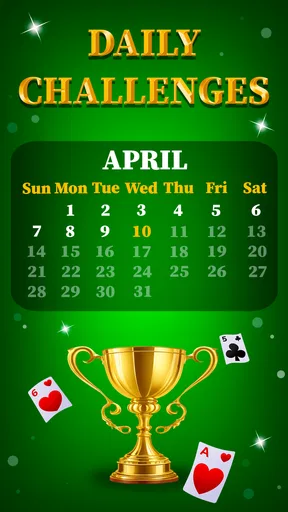
SolaceSolitaire features a variety of solitaire modes, customizable themes, and daily challenges to keep players engaged. It also offers intuitive controls, smooth animations, and a calming soundtrack, making it a perfect choice for both casual and seasoned solitaire players.
Is SolaceSolitaire suitable for children?
Yes, SolaceSolitaire is suitable for players of all ages, including children. The game is free from explicit content and offers a user-friendly interface. Parents can allow their children to play without concerns, though monitoring in-app purchases is recommended.


